
Disclosure: This article contains affiliate links. If you purchase through these links, I may earn a commission at no extra cost to you.

Creating consistent website content sounds simple until multiple people, tools, and publishing tasks become involved. A business may have a clear brand voice, specific visual preferences, a defined audience, and content formatting rules. Yet those standards can easily become scattered across documents, emails, project notes, prompts, and individual conversations with AI tools.
That creates a familiar problem: every new content task may require someone to explain the brand all over again.
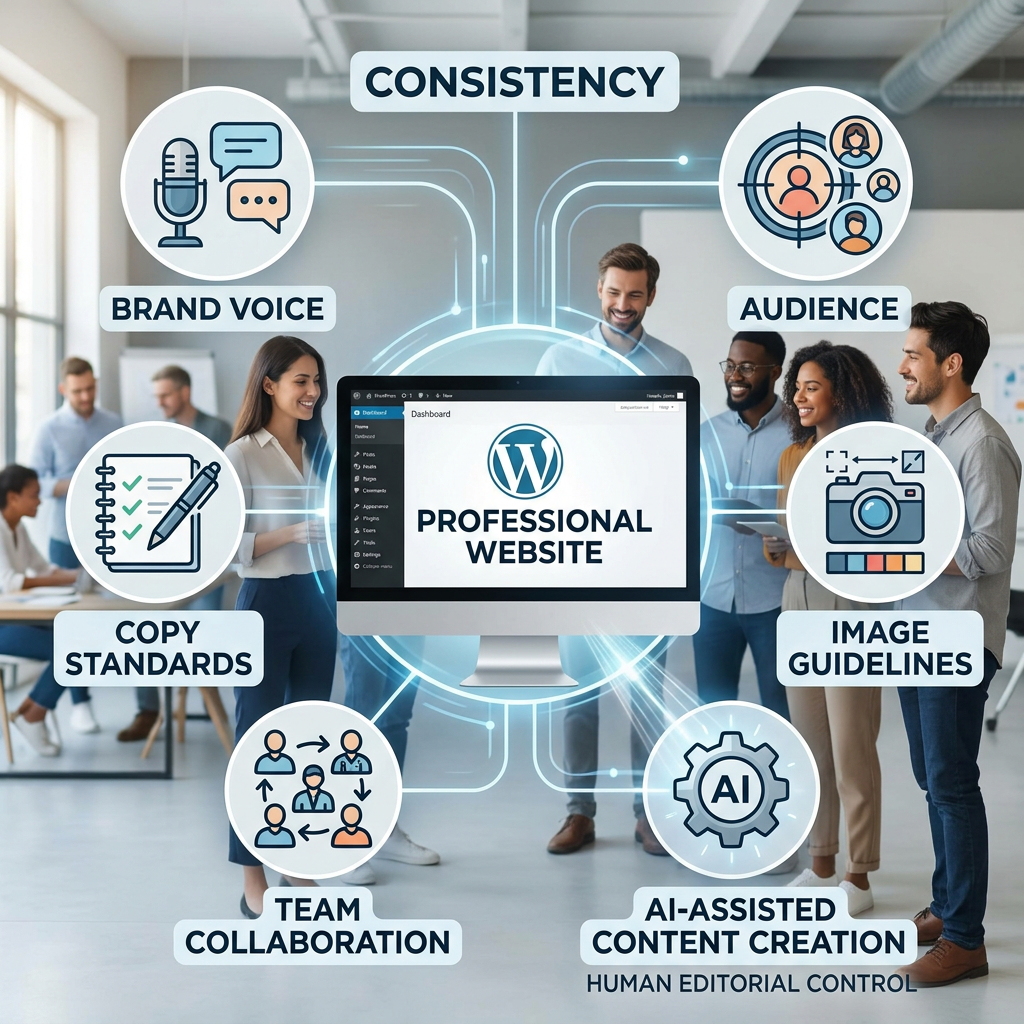
WordPress.com Guidelines offer a different approach. Instead of keeping important brand context only in a separate conversation or document, Guidelines provide a persistent set of site standards that can live with a WordPress.com site. Administrators can define the site’s purpose, audience, writing preferences, image standards, block-specific instructions, and additional team rules.
Compatible AI features can then use that stored context when helping with supported content tasks.
The result is not an automated content machine that takes control away from the website owner. Rather, Guidelines can help create a more consistent workflow in which AI and collaborators have useful context while people remain responsible for reviewing, editing, accepting, or dismissing the work.
What Are WordPress.com Guidelines?
A Guideline is a persistent set of standards for a website. Administrators can establish the information that should help shape how content is created and maintained across the site.
These standards can cover several important areas.
Site purpose and audience
Guidelines can explain what a website is about, who it serves, and what it is trying to achieve.
For example, a business website might define its audience as small-business owners and entrepreneurs and establish its primary purpose as helping them discover practical digital marketing solutions. This information provides important context for future content.
Copy and brand voice
Guidelines can also capture preferences for written content. These might include tone, vocabulary, formatting, sentence structure, terminology, or words and phrases that should be avoided.
A brand could specify that its content should be professional, clear, practical, and approachable while avoiding unnecessary jargon.
Image standards
Written content is only one part of a website’s identity. Guidelines can also include preferences for images and visual presentation.
These standards can help communicate the type of imagery that fits the site’s visual identity and content strategy.
Block-specific instructions
Because WordPress websites are built using blocks, Guidelines can include instructions relating to particular blocks and how they should be used.
This provides more specific context than a general statement like “keep the website professional.”
Additional team rules
Administrators can also establish additional standards for collaborators. These can help communicate editorial expectations and other site-specific requirements.
Together, these elements turn Guidelines into more than writing prompt. They become a central reference for how a particular website should approach its content.
Why Persistent Site Context Matters
One of the biggest advantages of Guidelines is reducing the need to repeat the same information.
Consider what happens when brand context exists only in a separate AI conversation.
You might begin by explaining your business, target audience, preferred writing style, formatting requirements, visual identity, and content goals. Then you ask the AI to create an article.
Later, you start another content project. You may need to explain those same things again or locate and copy previous instructions into the new conversation.
That process becomes increasingly inefficient as your content operation grows.
With WordPress.com Guidelines, the concept is different. Your site’s standards have a persistent home associated with the website.
The important distinction is not simply whether an AI tool can “remember” something. It is where the authoritative site-specific context is maintained.
Instead of brand instructions being trapped in one conversation, Guidelines can provide a shared reference associated with the site itself.
That can create three important benefits:
- Less repetition: You don’t have to restate basic brand standards for every supported workflow.
- Greater clarity: Your content standards have a defined location.
- More consistency: Collaborators and compatible AI features can work from the same site-level context.
For businesses publishing frequently, that can make content creation feel more like a repeatable system and less like starting from scratch every time.
WordPress.com Guidelines vs. Context in a Separate Chat Tool
It is useful to distinguish Guidelines from the context you might maintain inside a separate AI chat tool.
A separate chat can be extremely useful. You can use it for brainstorming, research, drafting, experimentation, and many other tasks. Some AI services may also offer their own mechanisms for retaining context.
However, the location of that context matters.
With WordPress.com Guidelines, the standards are associated directly with the WordPress.com site. They are designed to describe that site’s purpose, content preferences, visual standards, block instructions, and other rules.
A separate chat tool, by contrast, is external to the website. Its context exists within that tool’s own workflow.
The difference becomes especially important when several people contribute to a website.
Imagine a company working with an internal marketing team, freelance writers, designers, and an agency. If everyone relies on different prompts or different conversations, they may interpret the brand differently.
A site-level set of Guidelines can provide a more centralized reference.
This does not mean Guidelines replace every other form of documentation or that a separate AI tool cannot be useful. The point is that the website’s own standards can have a persistent home alongside the content they are intended to guide.
That can make the relationship between standards, content creation, and publishing easier to understand.
One Common Reference for Teams and Collaborators
Consistency becomes more challenging when multiple people contribute to the same website.
A business owner may understand the brand perfectly. A new writer may understand only part of it. A designer may have a different interpretation of the visual identity. An AI tool may need explicit context before producing useful content.
Guidelines can help establish a common reference.
For example, a website’s Guidelines might explain:
- Who the site’s audience is
- What the website is trying to accomplish
- How the brand should sound
- How content should be formatted
- What visual style is preferred
- How specific WordPress blocks should be used
- What additional rules collaborators should follow
This can be particularly useful as a business grows.
Instead of relying entirely on informal knowledge—“this is how we normally write things”—the organization can establish its standards explicitly.
That doesn’t eliminate human judgment. A guideline is not a substitute for an experienced editor, designer, strategist, or business owner.
Instead, it gives those people a shared foundation.
How Guidelines Can Steer AI-Assisted Content
AI can produce content quickly, but useful output depends heavily on context.
A generic request such as “write a blog post about digital marketing” provides very little information about the specific business behind the request.
The result could be technically correct but still sound unlike the brand.
Guidelines can provide compatible AI features with more concrete preferences.
For example, a website might establish that its content should:
- Address business owners rather than technical specialists.
- Use clear, practical language.
- Maintain a professional but approachable tone.
- Avoid unnecessary industry jargon.
- Focus on actionable advice.
- Use specific formatting conventions.
- Follow defined visual preferences.
When a compatible AI feature uses this context, it has more information about what the site is trying to accomplish.
The important word here is compatible.
Not every AI tool or WordPress.com surface should be assumed to support Guidelines. The feature is intended to provide context to supported experiences rather than functioning as a universal memory system for every AI product.
And AI still does not become the final decision-maker.
The basic relationship is:
Administrator defines the standards → compatible AI uses the context → AI assists with the task → user reviews the result → user decides what to keep.
That distinction is important for responsible AI-assisted publishing.
Turning Existing Content Into Suggested Guidelines
Another useful capability is the ability for AI to suggest Guidelines based on existing site content.
On eligible paid plans, AI can read existing site content and suggest possible Guidelines based on what it finds.
This can be helpful for businesses that already have a substantial website but have never formally documented their content standards.
Instead of starting with a blank page, the existing website can provide material from which potential standards are identified.
For example, the suggestions might reveal patterns in the sites:
- Writing style
- Tone
- Formatting
- Audience
- Content approach
- Visual preferences
However, the AI’s suggestions are not automatically the new rules for the website.
Users can review each suggestion and choose whether to accept, dismiss, or edit it before saving it.
This is an important part of the workflow because existing content is not necessarily perfect.
A website may contain outdated language, inconsistent formatting, or content written before the brand evolved. Human review is therefore essential.
Also, the ability to have AI suggest Guidelines from existing site content requires an eligible paid plan. It should not be presented as a free AI-generated Guidelines feature available to everyone.
Guidelines Keep Users in Control
One of the most important characteristics of Guidelines is that they provide context rather than hard restrictions.
A guideline doesn’t mean that every piece of content must mechanically follow an inflexible rule.
Your business may need to communicate differently in a blog article, landing page, announcement, case study, or campaign. Editorial judgment still matters.
Users can review and modify content produced with AI assistance.
They can also revise the Guidelines themselves.
This creates a healthier relationship between automation and human control.
The purpose isn’t to tell an AI system, “You are now responsible for my brand.”
It is closer to saying:
“Here is the context and these are the standards that matter to this website. Use them when assisting me, and I will decide what ultimately gets published.”
That distinction helps keep AI in its proper role—as an assistant rather than the owner of the editorial process.
Guidelines Are a Living Content System
A common mistake with brand guidelines is treating them as a document that gets written once and then forgotten.
Businesses change.
Their audiences change. Products change. Visual identities change. Marketing strategies change. New services are introduced. Teams grow. Old terminology becomes outdated.
Your Guidelines should therefore evolve as your website evolves.
WordPress.com provides tools that support this ongoing management. Administrators can write and revise Guidelines, work with suggestions, and manage the stored standards over time.
They can also export Guidelines as a JSON file and import them to replace the current set.
Revision history provides another layer of control by allowing earlier versions to be restored when necessary.
These capabilities make Guidelines more practical as an ongoing content-management resource.
Review them periodically and ask:
- Does our brand voice still reflect the business?
- Are our audience descriptions still accurate?
- Have our visual standards changed?
- Are our formatting preferences still useful?
- Have new team rules been introduced?
- Does our content strategy now have different priorities?
Instead of thinking of Guidelines as a static brand document, think of them as a living content system.
Keeping these standards current helps ensure that the context remains useful.
A Practical WordPress.com Guidelines Workflow
A simple workflow can turn Guidelines into part of your regular publishing process.
1. Define
Start by documenting your website’s purpose, audience, voice, image preferences, block instructions, and additional team standards.
2. Review
Look at existing website content and, where the feature is available to you, review AI-suggested Guidelines.
3. Refine
Edit the standards so they accurately represent your current brand rather than simply accepting everything suggested.
4. Create
Use supported WordPress.com AI-assisted content features with the stored context.
5. Review
Read the resulting content yourself. Check accuracy, clarity, brand fit, and whether the content actually serves the audience.
6. Publish
Make the final editorial decision and publish only after the content meets your standards.
7. Update
Return to your Guidelines as the business, brand, audience, and content strategy evolve.
This approach makes AI part of a structured workflow instead of treating it as an independent content creator.
Building a More Consistent Content Operation
The broader value of WordPress.com Guidelines goes beyond saving a few minutes when writing an article.
For businesses and teams producing content regularly, the bigger opportunity is building a repeatable content system.
A strong content system can make it easier for new contributors to understand the brand, help compatible AI features receive useful context, and reduce the amount of information that needs to be repeated from one content task to another.
It can also improve confidence.
When your standards are clearly documented and associated with your site, you have a stronger foundation for deciding whether a piece of content actually belongs on your website.
That is especially useful when content production involves multiple people and AI-assisted tools.
Instead of creating content through disconnected workflows, the organization can establish a shared set of standards and use them as a reference point.
Conclusion: Put Your Content Standards Where Your Content Lives
The biggest idea behind WordPress.com Guidelines is simple: important brand context shouldn’t have to live only in someone’s memory, a forgotten document, or an individual AI conversation.
Guidelines provide a persistent place for a site’s purpose, audience, copy preferences, image standards, block instructions, and additional team rules.
Compatible AI features can use that context when assisting with supported tasks, while collaborators can work from the same site-level standards.
Most importantly, users remain in control.
They can create, revise, import, export, accept, dismiss, or restore Guidelines and decide what AI-assisted content ultimately becomes part of the website.
That makes Guidelines more than another AI feature. They can become part of a broader content-management system—one designed to reduce repetition, improve consistency, and give people better control over how their website communicates.
AI does not need to replace the person responsible for a brand. A better approach is to give AI useful context, let it assist with repetitive work, and keep human judgment at the center of the publishing process.
For businesses building an increasingly AI-assisted content workflow, WordPress.com Guidelines offer a practical way to connect brand standards with the website where those standards matter most.

A Digital Growth Consultant, WordPress specialist, and copywriter helping businesses, schools, and entrepreneurs grow through high-performing websites, SEO, content marketing, and automation. He shares practical strategies and insights on digital growth, lead generation, and AI-powered solutions to help organizations increase visibility, conversions, and sustainable growth.
Leave a Reply